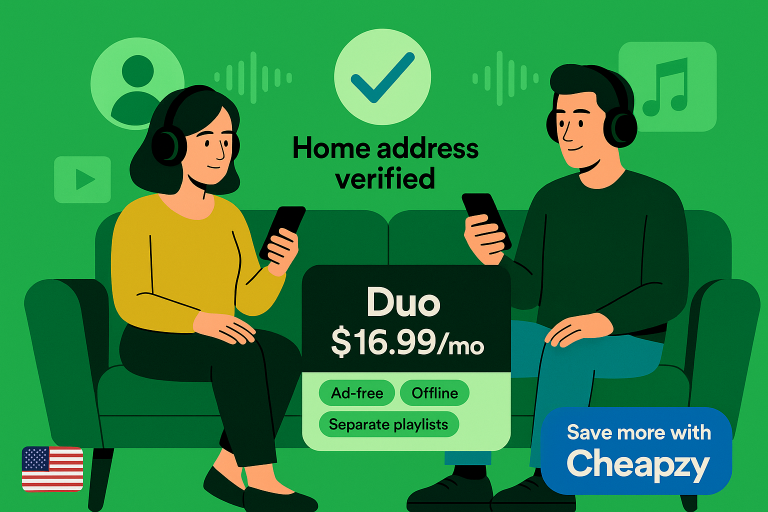
Illustration of two roommates on a sofa wearing headphones, with a “Home address verified” checkmark and a card reading “Spotify Premium Duo $16.99/mo – Ad-free, Offline, Separate playlists,” plus a “Save more with Cheapzy” label.

Table of Contents

How to Make the Most of the Spotify Premium Duo Discount

The Spotify Premium duo discount gives two people at the same address full Premium—ad-free music, offline downloads, and separate recommendations. Verify the same home address, invite your partner/roommate, and use features like Duo Mix. Then cut your other streaming costs with Cheapzy’s cheap subscriptions to lower your total bill.

What is Spotify Premium Duo (and who qualifies)?

The Spotify Premium duo discount is a single plan that covers two full Premium accounts for $16.99/month. One person (the plan manager) pays the bill. Once Spotify verifies you share the same home address, both of you can listen anywhere—on your own devices, with your own logins, libraries, and recommendations.

Eligibility & address verification

Who qualifies: Spotify Duo is strictly for two people who live together at the same address. During sign-up, the plan manager sets the address; the invited member must enter the exact same address to join. Spotify may also re-verify your address from time to time. 

7-day re-verification window: If Spotify can’t confirm an invited member’s info, it sends an email asking them to re-verify within 7 days. Miss the window (or fail verification) and that account loses Duo access. Spotify notes they may be locked out of joining other Duo/Family plans for 12 months from the failed verification date.

Troubleshooting tips (from user reports & mods):

  • Make sure both accounts’ countries match and the address matches the plan manager’s entry.
  • Try joining in an incognito/private browser window to avoid cookie/cache glitches.
  • Use the suggested address format in Spotify’s form (it relies on Google Maps data in some regions), and include apartment/suite info exactly. If it still fails, update the manager’s saved address and resend the invite.

What you actually get

With the Spotify Duo deal, both members enjoy the full Premium experience—ad-free listening, offline downloads, on-demand playback, and separate recommendations tied to each account. The plan manager handles billing and member management. 

Shared playlist note: Older guides mention “Duo Mix.” Spotify has deprecated Duo Mix and now highlights Blend as the shared, auto-updating playlist option you can create together in-app. If you want a combined playlist of both tastes, create a Spotify Blend (works for any two users, not just Duo). 

Audiobooks perk: Duo includes monthly audiobook listening time for the plan manager only (members don’t get a separate allotment). If you want more hours for the second listener, they can purchase additional time separately.

Is Duo the best price for Spotify when there are exactly two of you?

If you’re two people living together, here’s the simple cost breakdown to see whether the Spotify Premium duo discount truly beats two Individual plans—or a half-filled Family plan—for the best price for Spotify Duo.

PlanMonthly pricePer personTL;DR
Two Individuals$11.99 × 2 = $23.98/mo$11.99Baseline (no sharing).
Duo$16.99/mo$8.50Saves $6.99/mo vs two Individuals → ~$84/yr.
Family (up to 6)$19.99/mo$10.00 at 2 people; $6.67 at 3 people; $3.33 at 6Only cheaper per person if you fill >2 legitimate household seats.

As of September 2025, Spotify lists Individual at $11.99/month, Duo at $16.99/month, and Family at $19.99/month. That’s why, for exactly two people living together, the Spotify Premium duo discount delivers the best price for Spotify Duo use cases in a clean, policy-compliant way.

When Family beats Duo (and when it doesn’t)

If you genuinely have 3–6 people under one roof, Family can be the cheapest per person (e.g., $19.99 ÷ 3 ≈ $6.67). But with only two listeners, Duo’s $16.99 undercuts both two Individuals ($23.98) and a half-filled Family ($10 per person at two members). 

In short: for two, the cheap Spotify Duo plan is simpler and cheaper; pick Family only when you’re adding more legitimate household members who will actually use the seats. 

Gift card nuance (important!)

You might see $99 “12-month” Spotify cards at major US retailers (Walmart, Best Buy). Those are great for Individual savings (effectively ~$8.25/month) but they do not work for Duo or Family. 

Spotify’s help docs and legal T&Cs state gift cards are redeemable only for full-price, standalone Individual months, not for discounted/group plans like Premium Duo, Family, or Student. So, don’t plan your Duo budget around gift cards.

Step-by-step — set up the Spotify Duo deal correctly (and avoid pitfalls)

If you’re setting up the Spotify Duo deal, follow these quick steps to get verified smoothly, avoid common hiccups, and keep your playlists intact.

Before you start

  • Confirm regions: Make sure both accounts are set to the US (country/region must match for verification to work).
  • Line up the exact home address: Have the same formatted street address ready (include apartment/suite).
  • Pick the plan manager: The manager pays the bill and is the only one who gets the monthly audiobook listening time on Duo/Family.

Create/upgrade to Duo in minutes

  1. The plan manager goes to spotify.com/us/duo and purchases Premium Duo.
  2. Enter the full home address during signup (format carefully).
  3. Send the invite link to your partner/roommate.
  4. The invited member accepts and enters the exact same address within 7 days.
  5. Check both accounts show Premium Duo in account settings.

If verification fails

  • Re-enter the address precisely (match USPS-style formatting; include apartment/suite).
  • Retry the join flow in an incognito/private window to bypass cookie/cache glitches.
  • Re-send the invite and re-accept. If it still fails, contact Spotify Support.

Switching plans without losing playlists

Moving from Individual or Family to Duo (or vice versa) doesn’t delete your library—your playlists, liked songs, and settings stay with your account; you’re only changing the billing plan.

Make the most of Duo every day 

If you want more than “just cheaper,” here’s how to turn the Spotify Duo deal into everyday quality-of-life upgrades you’ll actually feel.

Shared listening (Blend replaces “Duo Mix”)

As mentioned above, older guides mention Duo Mix, but Spotify has phased that out. Use Blend instead: a shared playlist that auto-updates from both of your listening habits, perfect for cooking nights or gym sessions; for real-time listening together (home or remote), start a Jam and let both of you add to the queue. 

Offline for two

Each of you should enable offline downloads on your own devices to save data on commutes and prevent buffering on flights/road trips; Premium lets you download up to 10,000 tracks per device on five devices (go online at least every 30 days to keep them active). 

Audiobooks time (plan-manager-only)

With the Spotify Premium Duo discount, only the plan manager gets the monthly audiobooks listening time included in Duo. Plan managers can buy additional hours (and, in some regions, add-ons that extend listening to members) if they need more. For the non-manager, consider library apps to fill the gap.

Smart speakers & cars

Keep recommendations separate by linking each person’s account to their own voice profile on Google Nest/Home, and by setting up distinct profiles/households on Alexa devices. In the car, connect your own account via CarPlay/Android Auto so the algorithm learns from your driving playlists, not your partner’s.

When Duo doesn’t make sense (and the cheaper alternatives)

If Duo doesn’t quite fit your situation, here’s when to skip it—and the legit, cheaper alternatives that still keep your costs down.

Different addresses/long-distance

Duo requires the same home address. If you and your partner/roommate don’t actually live together (or you move frequently), you won’t pass verification, so two Individual plans is the compliant route. You can always rejoin Duo later if you begin sharing an address. 

Student status

If one of you is a verified student, Premium Student is $5.99/month in the US and includes Hulu (With Ads), which can be cheaper than paying half of Duo. It’s individual only (not shareable), so the other person should choose their own plan. 

Annual gift-card path (Individual only)

Retailers sell $99 “12-month” Spotify Premium codes, handy for prepaying Individual at an annual rate, but they don’t apply to Duo or Family. If your living setup makes Duo ineligible, this is a solid way to trim Individual costs instead. Check current availability at Best Buy and Walmart, and remember Spotify’s rule: gift cards work for Individual only (not Student, Duo, or Family). 

Where Cheapzy fits: cut the rest of your streaming costs (Spotify Individual, YouTube, Apple Music & more)
Cheapzy logo

Cheapzy explicitly leans on regional pricing and bulk buying to sell discounted annual subscriptions—including Spotify Premium (Individual), Apple Music, YouTube Premium, and more—backed by a full-year warranty and money-back support.

Cheapzy’s catalog does not include a Spotify Duo product, so if you qualify for Duo keep that plan directly with Spotify and use Cheapzy to reduce costs on your other services (or on your own account if you go Individual instead).

Below are illustrative savings using current official US prices versus Cheapzy’s advertised yearly deals (prices can change—always check the product page at checkout):

Service (plan)Official US priceCheapzy advertised yearlyEst. you save / year
Spotify Premium (Individual)$11.99/mo → $143.88/yr$34.99/yr (~$2.92/mo)$108.89 (~76%)
YouTube Premium (Individual)$13.99/mo → $167.88/yr (or $139.99 annual)$57.99/yr (~$4.83/mo)$109.89 (~65%) vs monthly
Apple Music (Individual)$10.99/mo → $131.88/yr$41.99/yr (~$3.50/mo)$89.89 (~68%)

Cheapzy’s approach keeps your own login and playlists intact (they upgrade your existing account where supported) and includes warranty + refunds if a subscription fails prematurely. Use it to lower your total stack cost while you keep Spotify Duo (if eligible) directly with Spotify.

New to regional pricing? Here’s How to Save on Spotify Premium.

Browse Cheap Spotify Premium annual deals.

Or kit out your entire stack with our Cheap Subscriptions.

Scenarios (pick your best-value setup)

If you’re deciding between plans, use these quick, real-world setups to choose the cheapest compliant option for your situation.

Couple/roommates at the same address, both heavy listeners

Pick Premium Duo: it’s $16.99/mo in the US for two full Premium accounts under one bill. Set it up with same-address verification, enable offline downloads, and let the plan manager use the monthly audiobook hours. For a shared vibe, create a Blend (Spotify’s current “made-for-us” playlist) to auto-mix both of your tastes. 

Two people, not co-located (or move often)

Go with two Individual plans (no address constraints). If you want to cut the annual cost without changing how you listen, consider an annual Individual deal via Cheapzy. You can also stack savings on YouTube Premium through Cheapzy to lower your overall streaming spend.

Household of 3–6

Choose Premium Family at $19.99/mo. It becomes the best per-person price once you fill more than two legitimate household seats and adds parental controls plus the Spotify Kids app. Note that Spotify gift cards can’t be used on Family (or Duo/Student)—they only apply to full-price Individual.

Bottom line

For two people under one roof, the Spotify Premium duo discount is the cleanest, policy-compliant way to get ad-free listening, offline music, and separate recommendations. at $16.99/month. 

Set it up properly (same-address verification), use Duo Mix, and have the plan manager maximize audiobook hours. Then take the savings further by trimming your overall subscription stack with Cheapzy to bring your monthly streaming budget down across the board.

FAQ

How do I get 50% off Spotify Premium?

If you’re an eligible college or university student, sign up for Premium Student and verify with SheerID—it’s $5.99/month in the US (roughly 50% of the $11.99 Individual price) and currently includes Hulu (With Ads). You must re-verify annually and can keep the discount for up to four years. Non-students aren’t eligible for this 50% rate.

How to get Spotify Duo Premium for free?

There isn’t a permanent free option for Premium Duo; Spotify’s ongoing free-trial promos typically apply to Individual, not Duo. If a Duo trial appears, it will be clearly advertised on the Duo page and restricted to eligible new users. Otherwise, Duo is $16.99/month, and gift cards/other discounts don’t apply.

Is there a way to get a discount on Spotify Premium?

Yes—legit options include Premium Student at $5.99/month (with SheerID verification) and time-limited free trials for Individual (e.g., 3 months free for new users when available). You can also reduce costs on Individual with retailer gift cards/annual codes (note: gift cards can’t be used for Duo/Family/Student) or lower your overall streaming spend via Cheapzy’s discounted annual deals for Individual, YouTube Premium, Apple Music, and more.

Is it cheaper to do Spotify Duo?

For two people at the same address, yes: Duo = $16.99/month versus two Individuals = $23.98/month (i.e., $6.99/month saved, about $84/year). If you can legitimately fill 3–6 seats, Family ($19.99/month) can be cheaper per person, but for exactly two, the Spotify Duo deal is the simpler, lower-cost choice.


Crunchyroll

How does it work?

When purchasing, you can choose from two options:

  • Upgrade your current Crunchyroll account, or

  • Receive a new Crunchyroll account with Mega Fan Yearly pre-activated

If you choose to use your personal account, you’ll provide your login credentials at checkout. We’ll securely log in, activate the 1-year Mega Fan subscription, and log out. You’re free to change your password right after for account security and peace of mind.

If you choose a new account, you’ll be asked to provide an email address. We’ll create the account, purchase the Mega Fan Yearly subscription, and email you the login details within 24 hours. You can customize the account details afterward (password, username, etc.).

Is this safe?

Yes, this is safe and secure. We never collect or store your information, and we don’t modify anything in your account other than activating the subscription. Once the process is done, you can reset your password for full control. Our method of obtaining subscriptions is completely legal and complies with Crunchyroll’s Terms of Service, ensuring the safety of your account.

What if my Crunchyroll Account already has a subscription?

That’s not a problem.

If your Crunchyroll account is currently on a monthly plan, we’ll cancel the rebilling for your active subscription and apply the Mega Fan Yearly subscription.

How can I trust you?

You can check our Trustpilot Reviews in which we have 500+ five-star reviews from our previous customers. Every Crunchyroll order is backed by our full warranty and money-back guarantee.

Telegram

How does it work?

After your purchase a Telegram Premium subscription, we will send you a Telegram Premium gift link via Telegram Direct messages. We do not need to login to your Telegram account.

Is this safe?

Yes, this is safe. We are able to get Telegram Premium for cheaper through regional pricing. This is fully legal and does not break Telegram’s TOS. Your Telegram Premium will not be revoked, nor will your account get banned.

How can I trust you?

You can check our Trustpilot Reviews in which we have numerous five-star reviews from our previous customers. Additionally, you can also check our vouches in our Discord Server under the #vouches channel.

Receive Now Pay Later

Want to receive the Apple Music before you pay? 

Join our Discord Server and create a ticket. Our support team will upgrade your Apple Music Account to premium before you pay. Once you are added to a family plan you can pay via PayPal, Crypto, Cash App or Card.

UPDATE: As of April 13th, 2024, we are unable to provide Apple Music Subscriptions before payment until further notice. We apologize for the inconvenience.

Receive Now Pay Later

Want to receive the Spotify Premium before you pay? 

Join our Discord Server and create a ticket. Our support team will upgrade your Spotify Account to premium before you pay. Once you are added to a family plan you can pay via PayPal, Crypto, Cash App or Card.

UPDATE: As of January 23rd, 2024, we are unable to provide Spotify Premium Subscriptions before payment until further notice. We apologize for the inconvenience.

Twitch

How Does It Work?

We are able to get Twitch Subscriptions for cheap through regional pricing. When purchasing, we will ask you for your Twitch Username, and the desired Twitch Streamer you would like to subscribe to. We will use the Twitch gifting feature to gift you a subscription. We do not need to login to your Twitch account, we only need your username.

Is This Safe?

Yes, this is safe. Our subscriptions are obtained legally through regional pricing. This does not break Twitch’s TOS and your Twitch account will not get banned. We do not buy subscriptions with stolen credit cards and we can provide a bank receipt of the Twitch subscription as proof if requested.

Subscriptions are delivered within 24 hours

NOTE: We will not be able to gift you a subscription if you already have one with your desired streamer

Adobe Creative Cloud

How does it work?

After purchasing, you’ll receive an Adobe Creative Cloud team invite directly to your Adobe account email.
Once you accept the invite, you’ll instantly gain access to the full Creative Cloud suite — just like a regular subscription.

No account access needed
Delivered within 24 hours

How are we able to sell for cheaper?

We are able to get subscriptions for cheap using regional pricing. Regional pricing is subscriptions being sold at a cheaper rate in certain countries as compared to other countries. For example, Spotify Premium may cost $10 a month in the US, but only costs $2 a month in Turkey. We purchase these subscriptions through our private regional suppliers resell them on our website.

Is this safe?

Yes, this is safe and legal.

We never access your Adobe account. All we need is your Adobe email to send the team invite. This method works just like an enterprise or school license — and is fully compliant with Adobe’s systems.

No password sharing. No sketchy workarounds. Just smarter pricing.

How can I trust you?

You can check our Trustpilot Reviews in which we have 500+ five-star reviews from our previous customers. Every order is backed by our full warranty and money-back guarantee.

Disney+

How does it work?

When purchasing, you’ll be able to choose from two options:

  • Upgrade your existing Disney+ account, or

  •  Receive a brand new Disney+ account created by us

If you prefer to get the subscription on your personal Disney account, you will need to provide the login details for your Disney account. We will log in and purchase the yearly Standard with ads subscription, then logout. You can change your password afterwards for account security and peace of mind.

If you select the new account option, you’ll be asked for an email for us to register the Disney account under. We will create the account, purchase the yearly Standard with ads subscription and deliver the account details to your email within 24 hours. You’re free to change the password, username, or any account details after receiving it.

Is this safe?

Yes, this is safe. We never make unauthorized changes to your Disney+ account or access anything beyond what’s needed to activate your subscription. Once it’s set up, you can update your password to ensure we no longer have access. Our method of obtaining the subscription is completely legal and complies with Disney’s Terms of Service, ensuring the safety of your account.

What if my Disney Plus Account already has a subscription?

That’s not a problem. We will cancel the monthly rebilling for your active subscription and purchase the yearly Disney Plus subscription for you.

How can I trust you?

You can check our Trustpilot Reviews in which we have 500+ five-star reviews. Every Disney+ purchase is backed by our money-back guarantee and full warranty.

YouTube Premium

How does it work?

When purchasing, you will have the option for us to get the YouTube premium on your personal Google account or on a new account created and provided by us.

We’ll set you up with an individual yearly subscription, completely private and not part of a family plan.

How are we able to sell for cheaper?

We use regional pricing to purchase subscriptions at lower international rates.

For example, YouTube Premium may cost $14/month in the US, but only $3/month in Turkey.
We legally obtain these lower-priced plans through our private suppliers located in Turkey/Argentina/Nigeria and pass the savings directly to you.

Is this safe?

Yes, it’s safe and secure.
We don’t change or access anything in your Google account beyond activating the subscription. Once the process is complete, you can update your password to ensure we no longer have access to your account for peace of mind.

We don’t use VPNs or Proxies when purchasing the premium, we use suppliers located in Turkey/Nigeria that purchase the premium on their regular IP address, ensuring the subscription wont get cancelled/flagged by YouTube.

Our method of getting YouTube Premium for cheaper is legal and compliant with Google’s Terms and Service.

Do I need to be from a certain country to buy?

No, it works globally.
Whether you’re located in North America, Europe, Asia, or anywhere else, our method works with any Google account region.

Do I need to use a VPN?

No, you do not need to use a VPN. Once your Premium is activated, your YouTube and Google accounts will work just like normal, with no region issues or content restrictions.

What if my Google Account already has YouTube Premium?

No problem. If you currently have a YouTube Premium subscription, we’ll cancel your monthly subscription and activate your new yearly Premium plan instead.

How can I trust you?

You can check our Trustpilot Reviews in which we have 500+ five-star reviews from our previous customers. Every order is backed by our full warranty and money-back guarantee.

Nord VPN

How does it work?

When purchasing, you can choose from two options:

  • Upgrade your current NordVPN account, or

  • Receive a new NordVPN account with the yearly subscription pre-activated


If you choose to use your personal account, you’ll provide your login credentials at checkout. We’ll securely log in, activate the 1-year NordVPN subscription, and log out. You’re free to change your password right after for account security and peace of mind.

If you choose a new account, you’ll be asked to provide an email address during checkout. We’ll create the account, purchase the NordVPN Yearly subscription, and email you the login details within 24 hours. You can customize the account details afterward (password, username, etc.).

Is this safe?

Yes, this is safe and secure. We never collect or store your information, and we don’t modify anything in your account other than activating the subscription. Once the process is done, you can reset your password for full control. Our method of obtaining subscriptions is completely legal and complies with NordVPN’s Terms of Service, ensuring the safety of your account.

What if my NordVPN Account already has a subscription?

That’s not a problem.

If your NordVPN account is currently on a monthly paid plan, we’ll cancel the rebilling for your active subscription and apply the NordVPN Yearly subscription.

How can I trust you?

You can check our Trustpilot Reviews in which we have 500+ five-star reviews from our previous customers. Every NordVPN order is backed by our full warranty and money-back guarantee.

Apple Music

How does it work?

When purchasing, you will have the option for us to get the Apple Music on your personal Apple account or on a new account created and provided by us.

If you prefer to get the Apple Music on your personal Apple account, you will need to provide the login details for your Apple account. We will log in and purchase the yearly Apple Music subscription, then logout. You can change your password after we get the Apple Music for account security and peace of mind.

If you select the new account option, you’ll be asked for an email for us to register the Apple account under. We will create the account, purchase the yearly Apple Music subscription and deliver the account details to your email within 24 hours. Once you receive the account details, you are free to login and change the account details (password, name, recovery, etc.) as you wish.

Note: To activate your Apple Music subscription at a lower price, we’ll need to change the region of your Apple ID. Please be aware that this may cause any existing subscriptions on your account to be canceled or become non-payable.

Is this safe?

Yes, this is safe and secure. We never collect or store your information, and we don’t modify anything in your account other than activating the subscription. Once the process is done, you can reset your password for full control. Our method of obtaining subscriptions is completely legal and complies with Apple’s Terms of Service, ensuring the safety of your account.

What if my Apple Account already has a subscription?

That’s not a problem.

If your Apple account is currently on a monthly plan, we’ll cancel the rebilling for your active subscription and apply the Apple Music Yearly subscription.

How can I trust you?

You can check our Trustpilot Reviews in which we have 500+ five-star reviews from our previous customers. Every Apple Music order is backed by our full warranty and money-back guarantee.


Spotify Premium

How Does It Work?

When purchasing, you’ll have two options:

  • Upgrade your existing Spotify account

  • Get a brand new Spotify account with Premium pre-activated

If you choose your personal account, you’ll be asked to provide your Spotify login details at checkout. We’ll log in, activate a 1-year Premium subscription, and log out immediately. You’re free to change your password right after.

If you select the new account option, we’ll ask for an email address to register the account under. We’ll then create the new account, activate the Premium plan, and send you the login details within 24 hours. You can change the password, username, or email once you receive it.

There are no restrictions on Music, you’ll be able to listen to any song you’d like without any issues.

How are we able to sell for cheaper?

We are able to get subscriptions for cheap using regional pricing. Regional pricing is subscriptions being sold at a cheaper rate in certain countries as compared to other countries. For example, Spotify Premium may cost $10 a month in the US, but only costs $2 a month in Turkey. We purchase these cheaper plans and resell the subscriptions on our website. 

Is This Safe?

Yes, this is safe. We do not make any changes to your Spotify account when logging in. We simply get the individual yearly premium and then log out. After the premium is activated, you can change your password to ensure we no longer have access to your account for peace of mind. Our method of obtaining premium for cheaper through regional pricing is completely legal and does not violate Spotify’s Terms of Service.

Do I need to be from a certain country to buy?

No, our method of getting Premium works for any Spotify Account region. Whether you are from America, Europe, Asia or elsewhere, it doesn’t matter, our method of getting premium for cheaper works for any country.

Do I need to use a VPN?

No, you do not need to use a VPN. Your Premium account will work normally, just like it would if you paid full price.

You’ll have full access to songs, albums, podcasts, playlists, and every feature — no geo-restrictions.

What if my Spotify Account already has premium?

No problem, we can still upgrade your account. Once you purchase a yearly subscription, we will login and cancel the monthly rebilling for your active subscription. Once your active subscription ends, we will apply the individual yearly subscription to your account — all handled for you.

Can we sell Spotify Family Plans for cheaper?

Yes, we can sell Spotify Family Plan subscriptions for cheaper. If you are interested in purchasing a family plan subscription, please create a ticket on our Discord Server. Our support team will assist you from there.

How can I trust you?

You can check our Trustpilot Reviews in which we have 500+ five-star reviews from our previous customers. Every order is backed by our full warranty and money-back guarantee.

Discord Nitro

How does it work?

After purchasing, you’ll be prompted to join our Discord server, where our 24/7 support team will help you redeem your Nitro.

We’ll provide you with a VCC (virtual credit card) that you’ll use to activate your Discord Nitro subscription.

No account login is needed. You handle the redemption with our support team guiding you every step of the way.

Is this safe?

Yes, it’s safe and secure.

The VCC we provide is issued through our own banking partner, and we can even provide a payment receipt from the bank as proof of legitimacy.

This method is completely legal and does not violate Discord’s Terms of Service — your account will remain safe.

What if my Discord Account already has nitro?

That’s not a problem.

We’ll help you cancel your current rebilling and upgrade your account with a yearly Nitro plan using our VCC — all handled quickly with the help of our team.

How can I trust you?

You can check our Trustpilot Reviews in which we have numerous five-star reviews from our previous customers.

Want to pay with PayPal?

Join our Discord Server and create a ticket, our support team will assist you from there

Need To Contact Support?

Join our Discord Server and create a ticket, our support team will be happy to assist you from there.

Duolingo Super

How does it work?

When purchasing, you can choose from two options:

  • Upgrade your current Duolingo account, or

  • Receive a new Duolingo account with Super Yearly subscription pre-activated

If you choose to use your personal account, you’ll provide your login credentials at checkout. We’ll securely log in, activate the 1-year subscription, and log out. You’re free to change your password right after for account security and peace of mind.

If you choose a new account, you’ll be asked to provide an email address. We’ll create the account, purchase the Yearly subscription, and email you the login details within 24 hours. You can customize the account details afterward (password, username, etc.).

Is this safe?

Yes, this is safe. We do not make any changes to your Duolingo account when logging in, nor do we collect any information. Our only action is to purchase the Duolingo Super yearly subscription, after which we log out. Once the process is completed, you can change your Duolingo account password to ensure we no longer have access to your account for security purposes. Our method of obtaining Duolingo Super is completely legal and complies with Duolingo’s Terms of Service.

What if my Duolingo Account already has Duolingo Super?

No problem.
We will cancel the monthly rebilling and purchase the yearly Duolingo Super for you.

How can I trust you?

You can check our Trustpilot Reviews in which we have numerous five-star reviews from our previous customers. Every Duolingo Super order is backed by our full warranty and money-back guarantee.

Fortnite

How does it work?

After purchasing, you will be asked to join our Discord Server in which our support team will assist you in receiving your Vbucks. We will log in to your Epic Games account, buy the amount of Vbucks you purchased from us, and logout.

Is this safe?

Yes, this is safe. We make no changes to your Epic Games account when logging in, nor do we collect any information. All we do is purchase the Vbucks, then logout. After the process is completed, you will be able to change your Epic Games account password to ensure we don’t have any more access to your Epic Games account for security purposes. Our method of getting Vbucks is completely legal and does not break Epic Games’ TOS.

How can I trust you?

You can check our Trustpilot Reviews in which we have numerous five-star reviews from our previous customers. Additionally, you can also check our vouches in our Discord Server under the #vouches channel.

Microsoft Copilot Pro Yearly

How does it work?

When purchasing, you will have the option for us to get the Microsoft Copilot Pro on your personal Microsoft account or on a new account created and provided by us.

If you prefer to get the Microsoft Copilot Pro on your personal Microsoft account, you will need to provide the login details for your Microsoft account. We will log in and purchase the yearly Microsoft Copilot Pro subscription, then logout. You can change your password after we get the Microsoft Copilot Pro for account security and peace of mind.

If you select the new account option, you’ll be asked for an email for us to register the Microsoft account under. We will create the account, purchase the yearly Microsoft Copilot Pro subscription and deliver the account details to your email within 24 hours. Once you receive the account details, you are free to login and change the account details (password, name, recovery, etc.) as you wish.

Is this safe?

Yes, this is safe and secure. We never collect or store your information, and we don’t modify anything in your account other than activating the subscription. Once the process is done, you can reset your password for full control. Our method of obtaining subscriptions is completely legal and complies with Microsoft’s Terms of Service, ensuring the safety of your account.

What if my Microsoft Account already has a subscription?

That’s not a problem.

If your Microsoft account is currently on a monthly plan, we’ll cancel the rebilling for your active subscription and apply the Microsoft Copilot Pro Yearly subscription.

How can I trust you?

You can check our Trustpilot Reviews in which we have 500+ five-star reviews from our previous customers. Every Microsoft Copilot Pro order is backed by our full warranty and money-back guarantee.

ChatGPT Plus Yearly

How does it work?

When purchasing, you will have the option for us to get the ChatGPT Plus on your personal ChatGPT account or on a new account created and provided by us.

If you prefer to get the ChatGPT Plus on your personal ChatGPT account, you will need to provide the login details for your ChatGPT account. We will log in and purchase the yearly ChatGPT Plus subscription, then logout. You can change your password after we get the ChatGPT Plus for account security and peace of mind.

If you select the new account option, you’ll be asked for an email for us to register the ChatGPT account under. We will create the account, purchase the yearly ChatGPT Plus subscription and deliver the account details to your email within 24 hours. Once you receive the account details, you are free to login and change the account details (password, name, recovery, etc.) as you wish.


Is this safe?

Yes, this is safe and secure. We never collect or store your information, and we don’t modify anything in your account other than activating the subscription. Once the process is done, you can reset your password for full control. Our method of obtaining subscriptions is completely legal and complies with Open AI’s Terms of Service, ensuring the safety of your account.


What if my ChatGPT Account already has a subscription?

That’s not a problem.

If your ChatGPT account is currently on a monthly plan, we’ll cancel the rebilling for your active subscription and apply the ChatGPT Plus Yearly subscription.


How can I trust you?

You can check our Trustpilot Reviews in which we have 500+ five-star reviews from our previous customers. Every ChatGPT Plus order is backed by our full warranty and money-back guarantee.

Capcut Pro Yearly

How does it work?

When purchasing, you can choose from two options:

  • Upgrade your current CapCut account, or
  • Receive a new CapCut account with the yearly CapCut Pro subscription pre-activated


If you choose to use your personal account, you’ll provide your login credentials at checkout. We’ll securely log in, activate the 1-year CapCut Pro subscription, and log out. You’re free to change your password right after for account security and peace of mind.

If you choose a new account, you’ll be asked to provide an email address during checkout. We’ll create the account, purchase the CapCut Pro Yearly subscription, and email you the login details within 24 hours. You can customize the account details afterward (password, username, etc.).


Is this safe?

Yes, this is safe and secure. We never collect or store your information, and we don’t modify anything in your account other than activating the subscription. Once the process is done, you can reset your password for full control. Our method of obtaining subscriptions is completely legal and complies with CapCut’s Terms of Service, ensuring the safety of your account.


What if my CapCut Account already has a subscription?

That’s not a problem.

If your CapCut account is currently on a monthly paid plan, we’ll cancel the rebilling for your active subscription and apply the CapCut Pro Yearly subscription.


How can I trust you?

You can check our Trustpilot Reviews in which we have 500+ five-star reviews from our previous customers. Every CapCut Pro order is backed by our full warranty and money-back guarantee.

Proton VPN Yearly

How does it work?

When purchasing, you will have the option for us to get the Proton VPN on your personal Proton account or on a new account created and provided by us.

If you prefer to get the Proton VPN on your personal Proton account, you will need to provide the login details for your Proton account. We will log in and purchase the yearly Proton Plus subscription, then logout. You can change your password after we get the Proton VPN subscription for account security and peace of mind.

If you select the new account option, you’ll be asked for an email for us to register the Proton account under. We will create the account, purchase the yearly Proton Plus subscription and deliver the account details to your email within 24 hours. Once you receive the account details, you are free to login and change the account details (password, name, recovery, etc.) as you wish.

Is this safe?

Yes, this is safe and secure. We never collect or store your information, and we don’t modify anything in your account other than activating the subscription. Once the process is done, you can reset your password for full control. Our method of obtaining subscriptions is completely legal and complies with Proton’s Terms of Service, ensuring the safety of your account.

What if my Proton Account already has a subscription?

That’s not a problem.

If your Proton account is currently on a monthly plan, we’ll cancel the rebilling for your active subscription and apply the Proton Plus VPN Yearly subscription.

How can I trust you?

You can check our Trustpilot Reviews in which we have 500+ five-star reviews from our previous customers. Every Proton VPN order is backed by our full warranty and money-back guarantee.

Nord VPN Yearly

How does it work?

When purchasing, you can choose from two options:

  • Upgrade your current NordVPN account, or

  • Receive a new NordVPN account with the yearly subscription pre-activated


If you choose to use your personal account, you’ll provide your login credentials at checkout. We’ll securely log in, activate the 1-year NordVPN subscription, and log out. You’re free to change your password right after for account security and peace of mind.

If you choose a new account, you’ll be asked to provide an email address during checkout. We’ll create the account, purchase the NordVPN Yearly subscription, and email you the login details within 24 hours. You can customize the account details afterward (password, username, etc.).

Is this safe?

Yes, this is safe and secure. We never collect or store your information, and we don’t modify anything in your account other than activating the subscription. Once the process is done, you can reset your password for full control. Our method of obtaining subscriptions is completely legal and complies with NordVPN’s Terms of Service, ensuring the safety of your account.

What if my NordVPN Account already has a subscription?

That’s not a problem.

If your NordVPN account is currently on a monthly paid plan, we’ll cancel the rebilling for your active subscription and apply the NordVPN Yearly subscription.

How can I trust you?

You can check our Trustpilot Reviews in which we have 500+ five-star reviews from our previous customers. Every NordVPN order is backed by our full warranty and money-back guarantee.

Quillbot Premium Yearly

How does it work?

When purchasing, you can choose from two options:

  • Upgrade your current Quillbot account, or

  • Receive a new Quillbot account with Quillbot Premium Yearly pre-activated

If you choose to use your personal account, you’ll provide your login credentials at checkout. We’ll securely log in, activate the 1-year Quillbot Premium subscription, and log out. You’re free to change your password right after for account security and peace of mind.

If you choose a new account, you’ll be asked to provide an email address during checkout. We’ll create the account, purchase the Quillbot Premium Yearly subscription, and email you the login details within 24 hours. You can customize the account details afterward (password, username, etc.).


Is this safe?

Yes, this is safe and secure. We never collect or store your information, and we don’t modify anything in your account other than activating the subscription. Once the process is done, you can reset your password for full control. Our method of obtaining subscriptions is completely legal and complies with Quillbot’s Terms of Service, ensuring the safety of your account.


What if my Quillbot Account already has a subscription?

That’s not a problem.

If your Quillbot account is currently on a monthly Quillbot Premium plan, we’ll cancel the rebilling for your active subscription and apply the Quillbot Premium Yearly subscription.


How can I trust you?

You can check our Trustpilot Reviews in which we have 500+ five-star reviews from our previous customers. Every Quillbot Premium order is backed by our full warranty and money-back guarantee.

Grammarly Pro Yearly

How does it work?

When purchasing, you can choose from two options:

  • Upgrade your current Grammarly account, or

  • Receive a new Grammarly account with Grammarly Pro Yearly pre-activated

If you choose to use your personal account, you’ll provide your login credentials at checkout. We’ll securely log in, activate the 1-year Grammarly Pro subscription, and log out. You’re free to change your password right after for account security and peace of mind.

If you choose a new account, you’ll be asked to provide an email address during checkout. We’ll create the account, purchase the Grammarly Pro Yearly subscription, and email you the login details within 24 hours. You can customize the account details afterward (password, username, etc.).


Is this safe?

Yes, this is safe and secure. We never collect or store your information, and we don’t modify anything in your account other than activating the subscription. Once the process is done, you can reset your password for full control. Our method of obtaining subscriptions is completely legal and complies with Grammarly’s Terms of Service, ensuring the safety of your account.


What if my Grammarly Account already has a subscription?

That’s not a problem.

If your Grammarly account is currently on a monthly Grammarly Pro plan, we’ll cancel the rebilling for your active subscription and apply the Grammarly Pro Yearly subscription.


How can I trust you?

You can check our Trustpilot Reviews in which we have 500+ five-star reviews from our previous customers. Every Grammarly Pro order is backed by our full warranty and money-back guarantee.

Perplexity Pro Yearly

How does it work?

When purchasing, you will have the option for us to get the Perplexity Pro on your personal Perplexity account or on a new account created and provided by us.

If you prefer to get the Perplexity Pro on your personal Perplexity account, you will need to provide the login details for your Perplexity account. We will log in and purchase the yearly Perplexity Pro subscription, then logout. You can change your password after we get the Perplexity Pro for account security and peace of mind.

If you select the new account option, you’ll be asked for an email for us to register the Perplexity account under. We will create the account, purchase the yearly Perplexity Pro subscription and deliver the account details to your email within 24 hours. Once you receive the account details, you are free to login and change the account details (password, name, recovery, etc.) as you wish.


Is this safe?

Yes, this is safe and secure. We never collect or store your information, and we don’t modify anything in your account other than activating the subscription. Once the process is done, you can reset your password for full control. Our method of obtaining subscriptions is completely legal and complies with Perplexity’s Terms of Service, ensuring the safety of your account.


What if my Perplexity Account already has a subscription?

That’s not a problem.

If your Perplexity account is currently on a monthly plan, we’ll cancel the rebilling for your active subscription and apply the Perplexity Pro Yearly subscription.


How can I trust you?

You can check our Trustpilot Reviews in which we have 500+ five-star reviews from our previous customers. Every Perplexity Pro order is backed by our full warranty and money-back guarantee.


Canva Pro Yearly

How does it work?

When purchasing, you can choose from two options:

  • Upgrade your current Canva account, or

  • Receive a new Canva account with Pro Yearly subscription pre-activated

If you choose to use your personal account, you’ll provide your login credentials at checkout. We’ll securely log in, activate the 1-year subscription, and log out. You’re free to change your password right after for account security and peace of mind.

If you choose a new account, you’ll be asked to provide an email address. We’ll create the account, purchase the Yearly subscription, and email you the login details within 24 hours. You can customize the account details afterward (password, username, etc.).

Is this safe?

Yes, this is safe.  We don’t collect any personal information or make changes to your Canva account. Our only action is to purchase the Canva Pro Yearly plan, and then we log out. This method is legal, does not violate Canva’s Terms of Service, and your account stays fully protected.

How can I trust you?

You can check our Trustpilot Reviews in which we have numerous five-star reviews from our previous customers. Every Canva Pro order is backed by our full warranty and money-back guarantee.

Canva Pro

How does it work?

When purchasing, you can choose from two options:

  • Upgrade your current Canva account, or

  • Receive a new Canva account with Pro Yearly subscription pre-activated

If you choose to use your personal account, you’ll provide your login credentials at checkout. We’ll securely log in, activate the 1-year subscription, and log out. You’re free to change your password right after for account security and peace of mind.

If you choose a new account, you’ll be asked to provide an email address. We’ll create the account, purchase the Yearly subscription, and email you the login details within 24 hours. You can customize the account details afterward (password, username, etc.).

Is this safe?

Yes, this is safe.  We don’t collect any personal information or make changes to your Canva account. Our only action is to purchase the Canva Pro Yearly plan, and then we log out. This method is legal, does not violate Canva’s Terms of Service, and your account stays fully protected.

How can I trust you?

You can check our Trustpilot Reviews in which we have numerous five-star reviews from our previous customers. Every Canva Pro order is backed by our full warranty and money-back guarantee.

HBO Max Yearly

How does it work?

When purchasing, you’ll be asked to provide an email address during checkout. We’ll create an HBO account under that email, purchase the HBO Max Yearly subscription, and email you the login details within 24 hours. You can customize the account details afterward (password, username, etc.).

Is this safe?

Yes, this is safe and secure. Once the process is done, you can reset your password for full control. Our method of obtaining subscriptions is completely legal and complies with HBO’s Terms of Service, ensuring the safety of your account.

How can I trust you?

You can check our Trustpilot Reviews in which we have 500+ five-star reviews from our previous customers. Every HBO Max order is backed by our full warranty and money-back guarantee.

Netflix Premium Profile Yearly

How does it work?

After purchasing, you will receive access to a Netflix account with the premium subscription already purchased. In the Netflix account, you will be able to access one profile. You will be given the profile name and PIN. 


Is this safe?

Yes this is safe, no one will be able to access your Netflix profile as itll require a PIN code for anyone else to login to it, and you’ll be able to change the PIN code to whatever you’d like. You also have full warranty for the entire duration of the subscription.

Can I get the subscription on my personal account?

No, you can only use the subscription on the account we provide, as getting the subscription on your personal account may result in your subscription getting cancelled by Netflix due to their household policy. Using the account we provide will be the most stable option.

How can I trust you?

You can check our Trustpilot Reviews in which we have 500+ five-star reviews from our previous customers. Every Netflix order is backed by our full warranty and money-back guarantee.

Google One

How does it work?

When purchasing, you will need to provide the login details for your Google One account. We will log in, buy the Google One subscription, and logout.

Is this safe?

Yes, this is safe. We make no changes to your Google account when logging in, nor do we collect any information. All we do is purchase the Google Storage Yearly option, then logout. After the process is completed, you will be able to change your Google One account password to ensure we don’t have any more access to your Google One account for security purposes. Our method of getting Google One subscriptions is completely legal and does not break Google’s TOS.

How can I trust you?

You can check our Trustpilot Reviews in which we have numerous five-star reviews from our previous customers. Additionally, you can also check our vouches in our Discord Server under the #vouches channel.

Mega Pro

How does it work?

When purchasing, you will need to provide the login details for your Mega account. We will log in, buy the Mega Pro, and logout.

Is this safe?

Yes, this is safe. We make no changes to your Mega account when logging in, nor do we collect any information. All we do is purchase the Mega Pro Yearly option, then logout. After the process is completed, you will be able to change your Mega account password to ensure we don’t have any more access to your Mega account for security purposes. Our method of getting Mega Pro is completely legal and does not break Mega’s TOS.

How can I trust you?

You can check our Trustpilot Reviews in which we have numerous five-star reviews from our previous customers. Additionally, you can also check our vouches in our Discord Server under the #vouches channel.

Chess Diamond Membership

How does it work?

When purchasing, you can choose from two options:

  • Upgrade your current Chess.com account, or

  • Receive a new Chess.com account with Diamond Yearly subscription pre-activated

If you choose to use your personal account, you’ll provide your login credentials at checkout. We’ll securely log in, activate the 1-year subscription, and log out. You’re free to change your password right after for account security and peace of mind.

If you choose a new account, you’ll be asked to provide an email address. We’ll create the account, purchase the Yearly subscription, and email you the login details within 24 hours. You can customize the account details afterward (password, username, etc.).

Is this safe?

Yes, this is safe. As mentioned above, we are able to sell the subscription for a cheaper price, as Chess.com Diamond is cheaper in different regions compared to the US. This is entirely legal and the accounts we give to our customers are made by us and not stolen. We can provide a bank receipt of the Diamond subscription if requested. The account we provide is safe and entirely in your control. You have the option to change all details (email, password) of the account.

How can I trust you?

You can check our Trustpilot Reviews in which we have numerous five-star reviews from our previous customers. Every Chess.com Diamond order is backed by our full warranty and money-back guarantee.

LinkedIn

How does it work?

When purchasing, you will need to provide the login details for your LinkedIn account. We will log in, buy the LinkedIn subscription, and logout.

Is this safe?

Yes, this is safe. We make no changes to your LinkedIn account when logging in, nor do we collect any information. All we do is purchase the LinkedIn subscription, then logout. After the process is completed, you will be able to change your LinkedIn account password to ensure we don’t have any more access to your LinkedIn account for security purposes. Our method of getting LinkedIn subscriptions is completely legal and does not break LinkedIn’s TOS.

How can I trust you?

You can check our Trustpilot Reviews in which we have numerous five-star reviews from our previous customers. Additionally, you can also check our vouches in our Discord Server under the #vouches channel.